Getting started
Organizations, projects and DSNs
How ErrorLens organizes data: organizations, projects, environments and DSN keys, and how your dashboard URL and SDK configuration map to them.
Organizations
An organization is your team's workspace. It owns projects, members, alert channels, API tokens and the monthly event quota. People can belong to several organizations, each with its own role.
On the hosted service every organization has its own subdomain, taken from the organization's short name (its slug):
https://acme-shop.errorlens.io/Sign-in and sign-up always happen on errorlens.io. After you sign in you are taken to your organization's address, and one sign-in works for all your organizations. A few names, such as www, api, docs and admin, are reserved for the service; if your organization name matches one, -org is added to its slug.
Projects
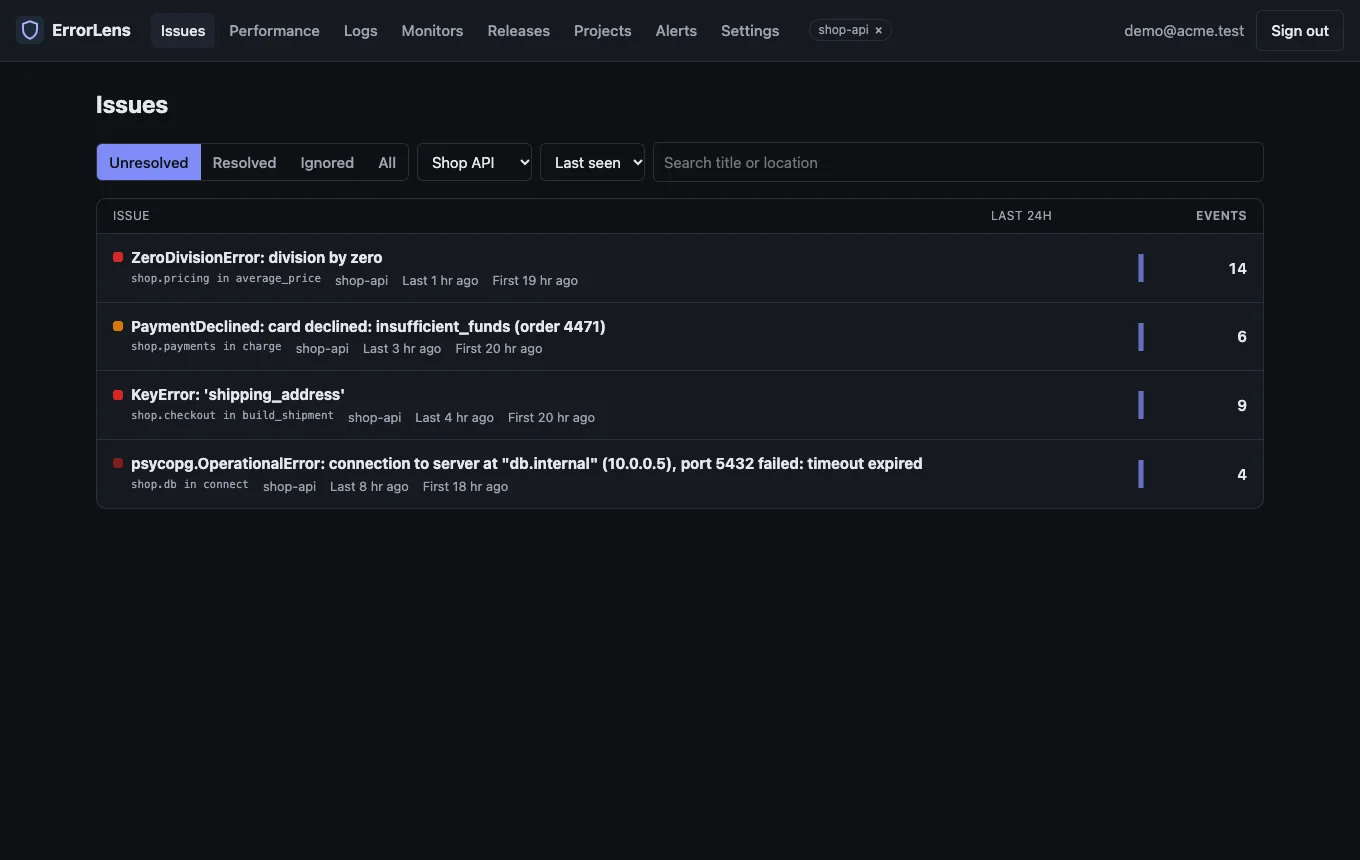
A project is one application or service. Issues, performance data, logs, releases and monitors all belong to a project. Each project has its own privacy rules and retention period.
Each project also has its own path in your dashboard, so you can bookmark or share a view of one project:
| Address | Shows |
|---|---|
acme-shop.errorlens.io/issues |
Issues from every project |
acme-shop.errorlens.io/checkout-api/issues |
Issues from the Checkout API project only |
acme-shop.errorlens.io/checkout-api/performance |
Checkout API endpoints and latency |
acme-shop.errorlens.io/checkout-api/logs |
Checkout API logs |
acme-shop.errorlens.io/checkout-api/monitors |
Checkout API uptime and cron monitors |
acme-shop.errorlens.io/checkout-api/releases |
Checkout API releases |
Choosing a project in any page's project picker switches to that project's path; choosing All projects goes back to the organization-wide view. Project names that would clash with a dashboard section (such as "settings" or "logs") get -app added to their slug.
DSNs
A DSN (data source name) tells an SDK where to send data. It looks like this:
https://4f1c0a…[email protected]/12
        └── public key ─┘           └ project id
The key only allows sending data to that project — it cannot read anything — so it is safe to ship in browser and mobile apps. You can create extra keys for a project and disable any of them at any time under Settings → Projects → (your project) → Client keys. Disabled keys are rejected immediately.
Events and quotas
Hosted organizations have a monthly event quota — 5,000 on the free plan. Each error event counts as one; performance transactions and log lines are shown in your usage but do not count toward the quota. When the quota runs out, new error events are rejected until the next month starts and your SDKs pause sending for an hour at a time. See Usage and quotas.