Features
Cron monitors
Monitor cron jobs and scheduled tasks with ErrorLens: check in by HTTP or SDK, and get alerted when a run is missed, fails or exceeds its runtime.
Scheduled jobs fail quietly: a backup that stopped running last month looks exactly like one that is working. A cron monitor expects your job to check in on a schedule. If a check-in reports an error, doesn't arrive on time, or a run takes too long, ErrorLens alerts you.
Create a monitor
In the dashboard: open Monitors → New monitor, choose Cron job, and set:
| Field | Meaning |
|---|---|
| Name | Also used to make the monitor's slug, e.g. nightly-backup |
| Schedule | A crontab expression such as 0 2 * * * (2:00 every night), or an interval such as @every 30m |
| Timezone | The timezone the schedule is in, e.g. UTC or Europe/Berlin |
| Margin | Minutes a check-in may be late before the run counts as missed (default 5) |
| Max runtime | Minutes a run may take after an in progress check-in before it counts as timed out (default 30) |
From your SDK: send a check-in with a monitor configuration and ErrorLens creates the monitor the first time it sees it, and keeps the schedule up to date afterwards.
@errorlens.monitor("nightly-backup", schedule="0 2 * * *", max_runtime=30)
def backup():
    ...
await ErrorLens.withMonitor("nightly-backup", () => runBackup(), {
schedule: { type: "crontab", value: "0 2 * * *" },
maxRuntime: 30,
});Both report in progress when the job starts, then ok or error with its duration.
Check in
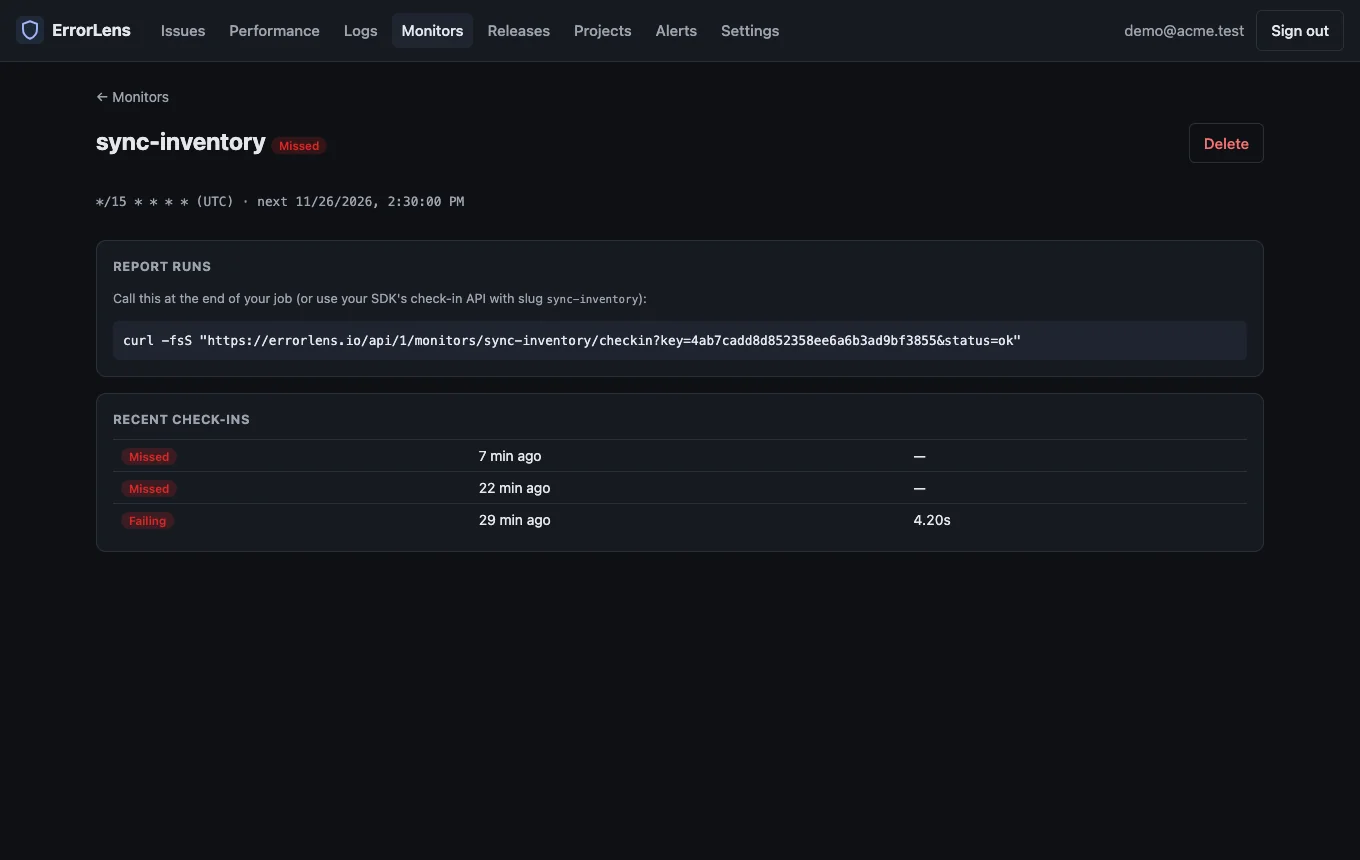
The simplest check-in is one HTTP call at the end of the job. The monitor page shows the exact command, with your project ID and key filled in:
curl -fsS "https://errorlens.io/api/<project-id>/monitors/nightly-backup/checkin?key=<dsn-key>&status=ok"To catch jobs that hang, report the start and the end. Pass the same check_in_id to both so ErrorLens can measure the run:
ID=$(uuidgen)
curl -fsS "https://errorlens.io/api/<project-id>/monitors/nightly-backup/checkin?key=<dsn-key>&status=in_progress&check_in_id=$ID"

./backup.sh && STATUS=ok || STATUS=error

curl -fsS "https://errorlens.io/api/<project-id>/monitors/nightly-backup/checkin?key=<dsn-key>&status=$STATUS&check_in_id=$ID"| Parameter | Values |
|---|---|
status |
in_progress, ok or error |
check_in_id |
Optional; links the start and end of one run |
environment |
Optional, e.g. production |
Statuses
| Status | Meaning |
|---|---|
| Waiting | Created, no check-in yet |
| Running | A run checked in as in_progress and hasn't finished |
| Up | The last run succeeded |
| Failing | The last run reported error |
| Missed | No check-in arrived by the expected time plus the margin |
| Timed out | A run checked in as in_progress and didn't finish within the max runtime |
As with uptime monitors, you are notified when a monitor starts failing and again when it recovers — not on every run. Choose the channels when you create the monitor.