Features
Releases and source maps
Track which release introduced an error and upload JavaScript source maps from CI so ErrorLens shows original files and lines for minified code.
Releases
A release is a version of your app — [email protected], a git commit hash, a build number. Set it in your SDK:
errorlens.init(dsn="…", release="[email protected]")ErrorLens.init({ dsn: "…", release: "[email protected]" });ErrorLens then records the release on every event and creates the release automatically the first time it sees it. The Releases page lists each version with its project, how many new issues appeared in it, how many source files were uploaded for it, and when it last sent an event.
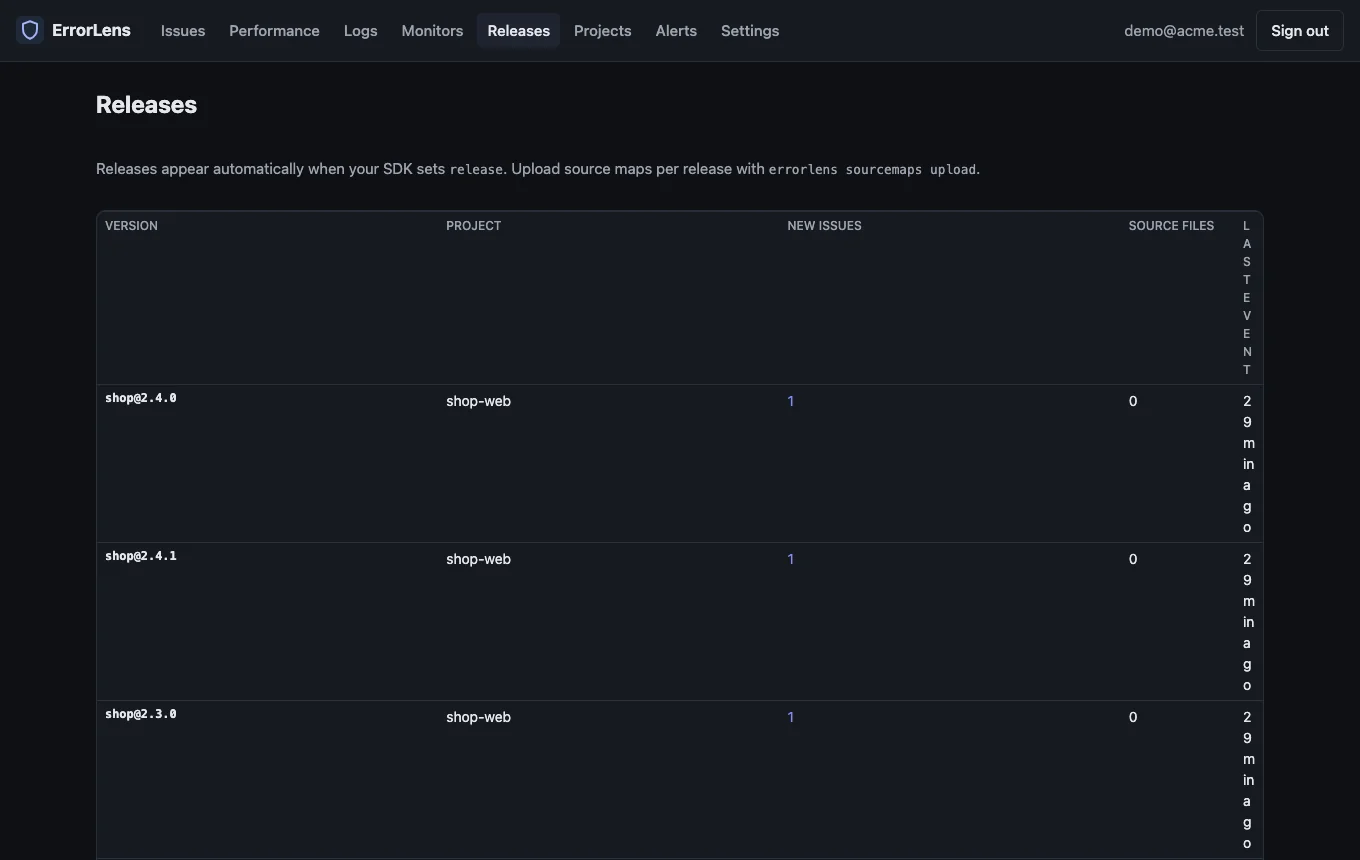
Click the number of new issues to see them. On each issue, first seen and last seen show the release they happened in, and the release tag breakdown shows which versions are affected.
Tip: use the same release value everywhere — in the SDK, in your source map upload, and in your deploy tooling. Reading it from an environment variable set at build time (ERRORLENS_RELEASE) keeps them in sync.
Source maps
Production JavaScript is bundled and minified, so a stack trace points at main.4f2a91.js:1:120554 instead of src/cart/Cart.tsx:42. Upload the source maps your bundler produces, and ErrorLens rewrites every frame to the original file, line, function and code.
Source maps are uploaded per release and stored privately. They are never served to browsers, so you don't need to publish them.
1. Create an API token
Open Settings → API tokens, create a token with the member role (enough to upload), and store it as a secret in your CI, e.g. ERRORLENS_AUTH_TOKEN. Tokens start with el_.
2. Upload from CI
After building, run the errorlens command-line tool — it is included in the ErrorLens Docker image:
docker run --rm -v "$PWD:/work" -w /work \
  -e ERRORLENS_AUTH_TOKEN \
  errorlens/errorlens sourcemaps upload \
    --url https://errorlens.io \
    --org acme-shop \
    --project web \
    --release [email protected] \
    --url-prefix "~/static/js" \
./build/static/js| Flag | Meaning |
|---|---|
--url |
Your ErrorLens address (https://errorlens.io on the hosted service) |
--token |
API token; defaults to ERRORLENS_AUTH_TOKEN |
--org, --project |
Organization and project slugs |
--release |
Must exactly match the release in your SDK |
--url-prefix |
The URL path your scripts are served from; ~ stands for any scheme and host |
| last argument | The folder with your .js and .js.map files |
Each flag can also come from an environment variable: ERRORLENS_URL, ERRORLENS_ORG, ERRORLENS_PROJECT, ERRORLENS_RELEASE.
3. Check it worked
The release's Source files count on the Releases page goes up, and new errors from that release show original file names and code. Events that arrived before the upload keep their minified frames.
Troubleshooting
- Still minified? The release in the SDK and the upload must be identical, and
--url-prefixplus the file name must match the script URL in the stack trace (https://shop.example.com/static/js/main.4f2a91.js→~/static/js/main.4f2a91.js). - Make sure your bundler writes source maps for production builds (for example
devtool: "source-map"in webpack,build.sourcemap: truein Vite).