Getting started
What is ErrorLens?
ErrorLens is open-source error tracking, performance monitoring and logs. Learn how it works, what it collects, and how to choose hosted or self-hosted.
ErrorLens collects the errors, slow requests, logs and failed jobs from your applications and turns them into a short list of problems you can act on. It is open source, and you can use it two ways:
- Hosted at errorlens.io — sign up, create a project and start sending data in minutes. Each organization gets its own address, like
acme.errorlens.io. - Self-hosted — run one container and a Postgres database on your own servers. Your data never leaves your network. See Self-hosting.
What it does
| Feature | What you get |
|---|---|
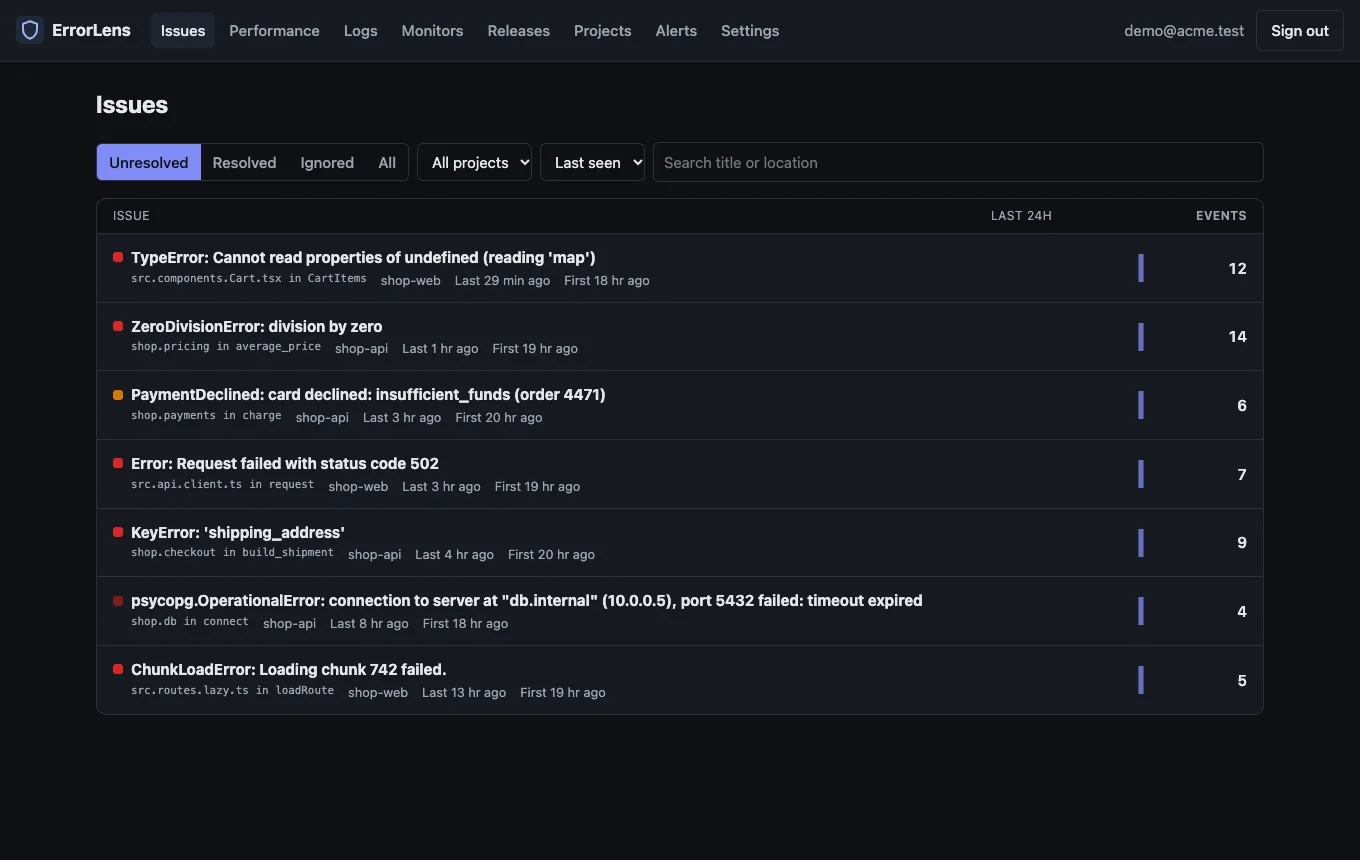
| Issues | Errors grouped by cause, with stack traces, breadcrumbs, tags, releases and regressions |
| Performance | Latency percentiles, throughput and failure rate per endpoint, and full traces |
| Logs | Structured logs with search, severity filters, live tail and links to traces |
| Uptime monitors | Your URLs checked on a schedule, with alerts when they fail |
| Cron monitors | Alerts when scheduled jobs fail, run too long, or don't run at all |
| Alerts | Email, Slack, Discord and signed webhooks for new issues, regressions and spikes |
| Releases & source maps | Which version introduced an error, and readable JavaScript stack traces |
Why ErrorLens
Error reports are full of things that should never be stored: passwords in form posts, tokens in headers, card numbers in request bodies, database URLs in exception messages. ErrorLens scrubs them on the server before anything is written to disk, even if your SDK sends them by mistake. Stored events can also be encrypted, and every time someone opens an event it is recorded in the audit log.
ErrorLens works with the error-reporting SDKs you may already use — it speaks the same envelope protocol — and with OpenTelemetry. Switching usually means changing one line: the DSN.
Next steps
- Follow the quick start to send your first error.
- Learn how organizations, projects and DSNs fit together.
- Set up alerts so problems find you.