Privacy & security
Account security
Protect ErrorLens accounts with two-factor authentication, OpenID Connect single sign-on, session controls, API tokens and the audit log.
Passwords
Passwords must be at least 10 characters and are stored as Argon2id hashes — never in readable form. Repeated failed sign-ins are slowed down per IP address and per account. Change your password under Account → Password; if you forget it, use Forgot password? on the sign-in page to get a reset link by email.
Two-factor authentication
Two-factor authentication (2FA) asks for a 6-digit code from an authenticator app after your password, so a stolen password alone isn't enough.
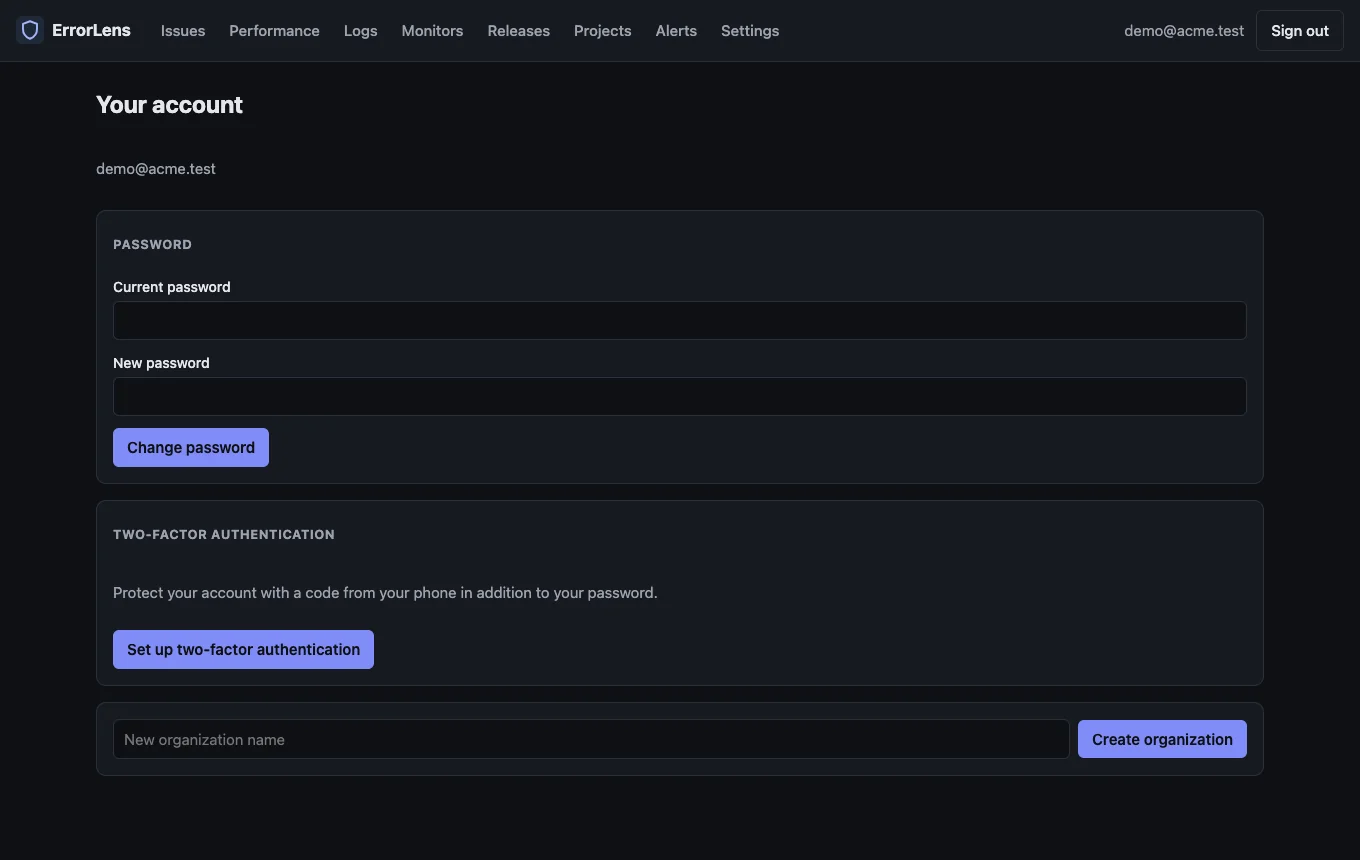
- Open Account (your email address at the top right) and click Set up two-factor authentication.
- Add the account to an authenticator app — 1Password, Google Authenticator, Authy and others all work — with the link or setup key shown.
- Enter the 6-digit code the app shows to confirm.
- Save the 10 recovery codes somewhere safe. Each one works once, in place of a code, if you lose your phone.
You can turn 2FA off again from the same page; it asks for a current code first.
Single sign-on
Self-hosted servers can let people sign in with any OpenID Connect provider — Google Workspace, Microsoft Entra ID, Okta, Keycloak, Authentik and others — and can add people from allowed email domains to an organization automatically on their first sign-in. See the ERRORLENS_OIDC_* settings in Configuration.
Sessions
A sign-in lasts 14 days. Sign out ends the session on all your organization subdomains at once. Resetting your password through Forgot password? signs you out on every device.
API tokens
API tokens let scripts and CI use the ErrorLens API — for example to upload source maps. Create them under Settings → API tokens (admins and owners). Each token has a role — admin, member or viewer — and can do only what a person with that role could. The token is shown once, starts with el_, and is stored only as a hash; delete it to revoke it immediately.
Send it as a bearer token:
curl -H "Authorization: Bearer el_…" https://errorlens.io/api/0/organizations/acme-shop/projects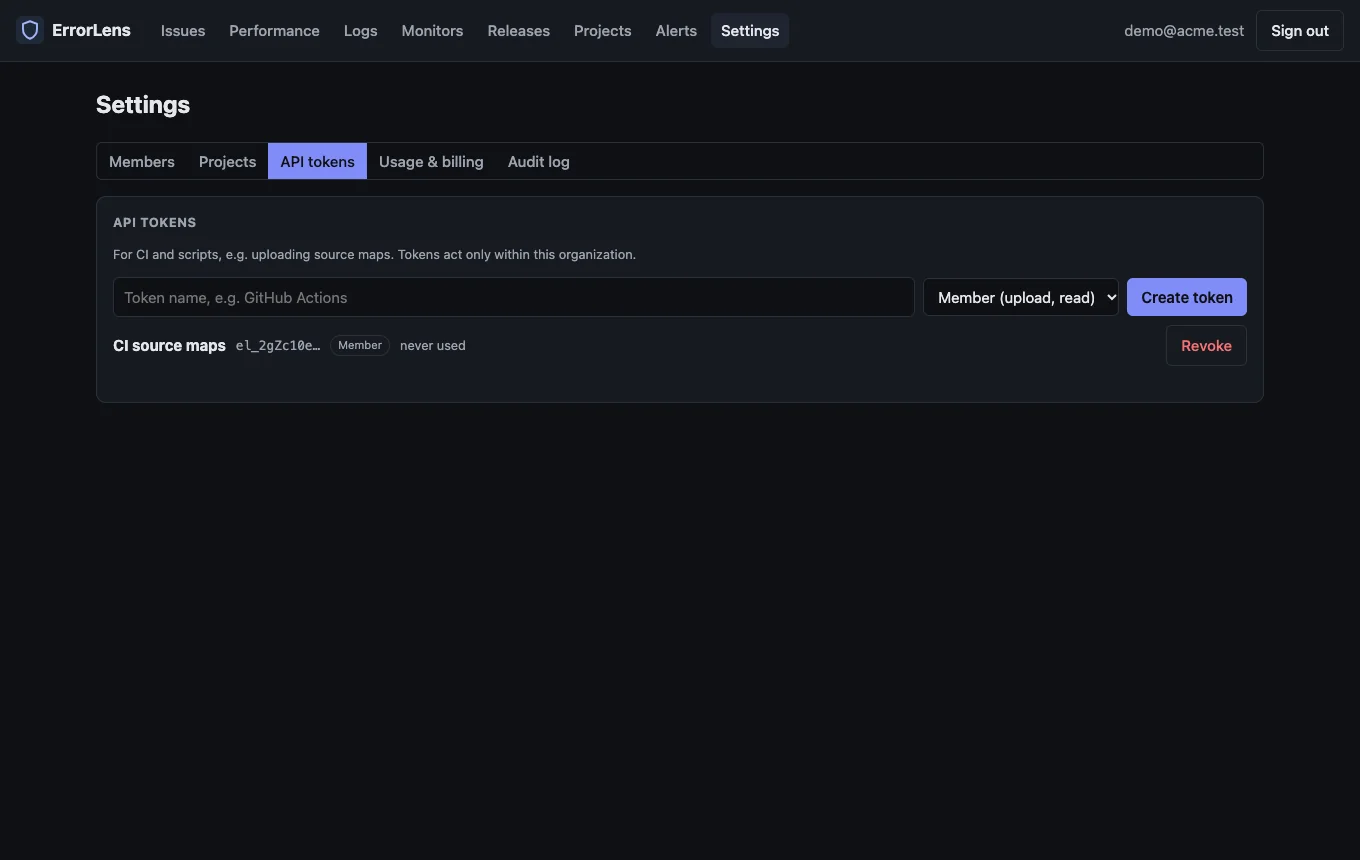
Audit log
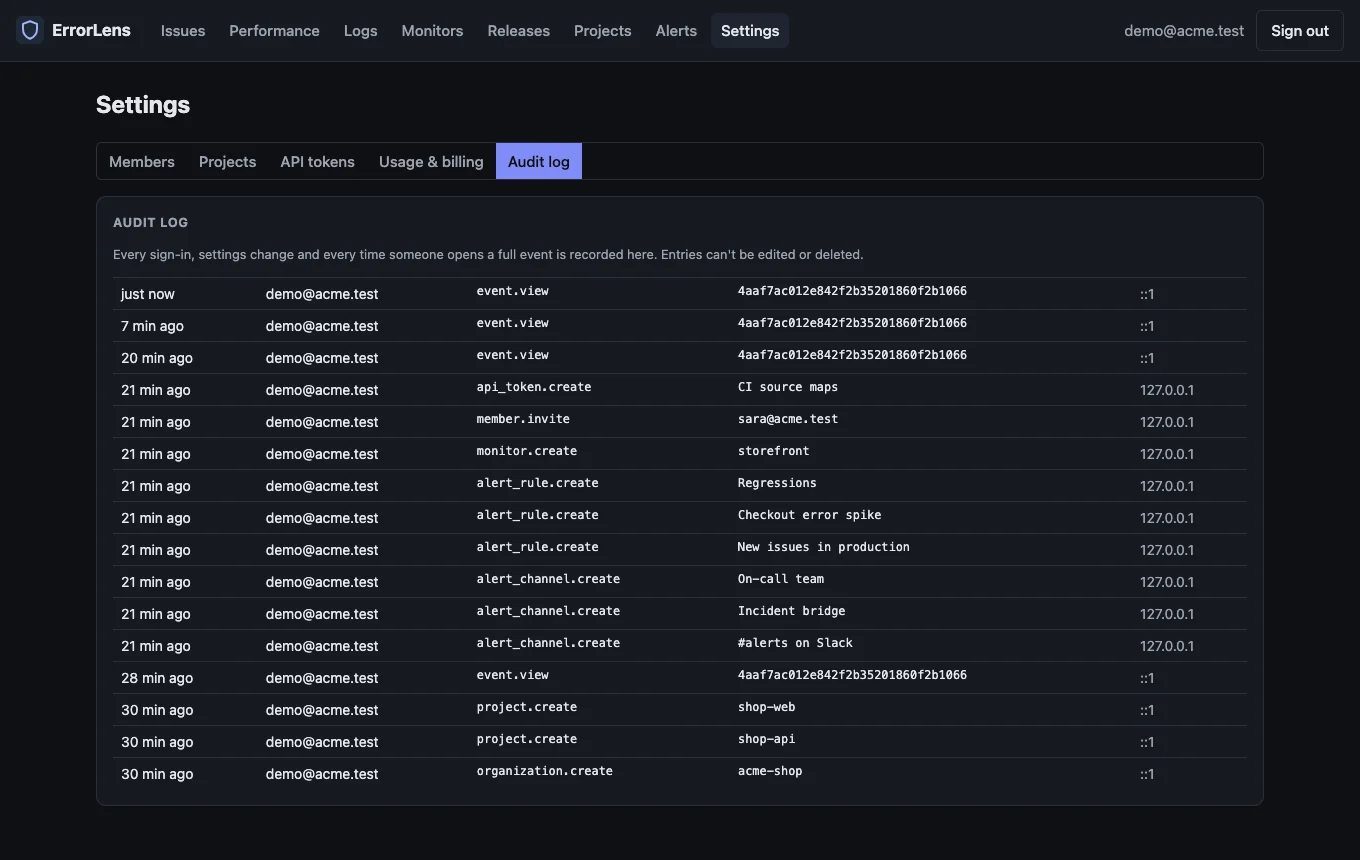
Settings → Audit log (admins and owners) records security-relevant activity in the organization, with who did it, when and from which IP address:
- every time someone opens an event
- sign-ins, failed sign-ins and sign-outs
- 2FA and password changes
- members invited, joining, changing role or leaving
- projects, client keys, API tokens, alert destinations, alert rules and monitors created
- projects, client keys, API tokens and alert destinations changed or deleted
- issue status changes
The audit log can't be edited or deleted, by anyone in the organization or by the application itself.
Reporting a vulnerability
Please email [email protected] with details. Don't open a public GitHub issue for security problems. We acknowledge reports within three business days.