Privacy & security
Data scrubbing
How ErrorLens removes passwords, tokens, API keys, cookies, card numbers and personal data before storage, and how to add your own scrubbing rules.
Error reports capture whatever was in memory when something broke: request headers, form fields, local variables, SQL, connection strings. ErrorLens removes sensitive values on the server, before the event is queued or written to disk. Filtered values are replaced with [Filtered] and never reach the database — not even temporarily.
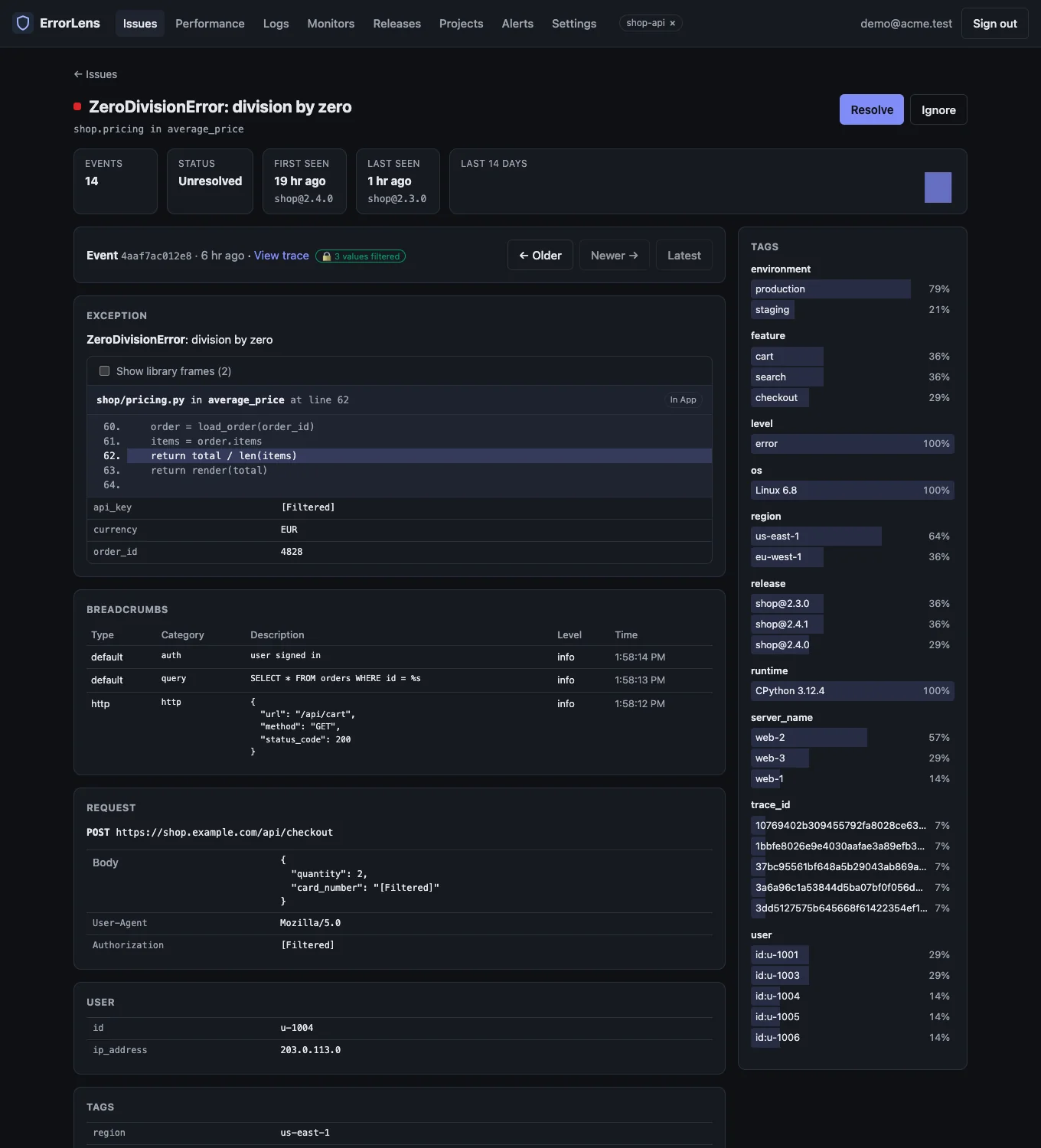
Scrubbing happens even if an SDK is misconfigured to send personal data, so one mistake in one service can't leak secrets into your error tracker. Each event shows a lock badge with how many values were filtered.
What is removed by default
Fields by name. Any field whose name contains one of these words is removed, wherever it appears — request headers, cookies, query strings, form data, JSON bodies, local variables, context and extra data. Matching ignores case, - and _, so X-API-Key, api_key and apiKey are all caught.
password  passwd  pwd  secret  token  apikey  accesskey  auth  credential
cookie  session  csrf  xsrf  privatekey  creditcard  cardnumber  cvv  cvc
ssn  iban  signature
Secrets by shape, anywhere in any string — messages, exception values, breadcrumbs, log lines:
| Pattern | Example |
|---|---|
| Private keys | -----BEGIN RSA PRIVATE KEY-----… |
| JSON Web Tokens | eyJhbGciOi… |
| Authorization values | Bearer …, Basic …, token … |
| Cloud and service keys | AWS access key IDs, GitHub tokens, Stripe secret keys, Slack tokens, Google API keys |
| Passwords in URLs | postgres://app:s3cret@db/prod → postgres://app:[Filtered]@db/prod |
key=value secrets |
password=hunter2, api_key: abc123 |
| Card numbers | Any 13–19 digit number that passes the Luhn check |
Project privacy settings
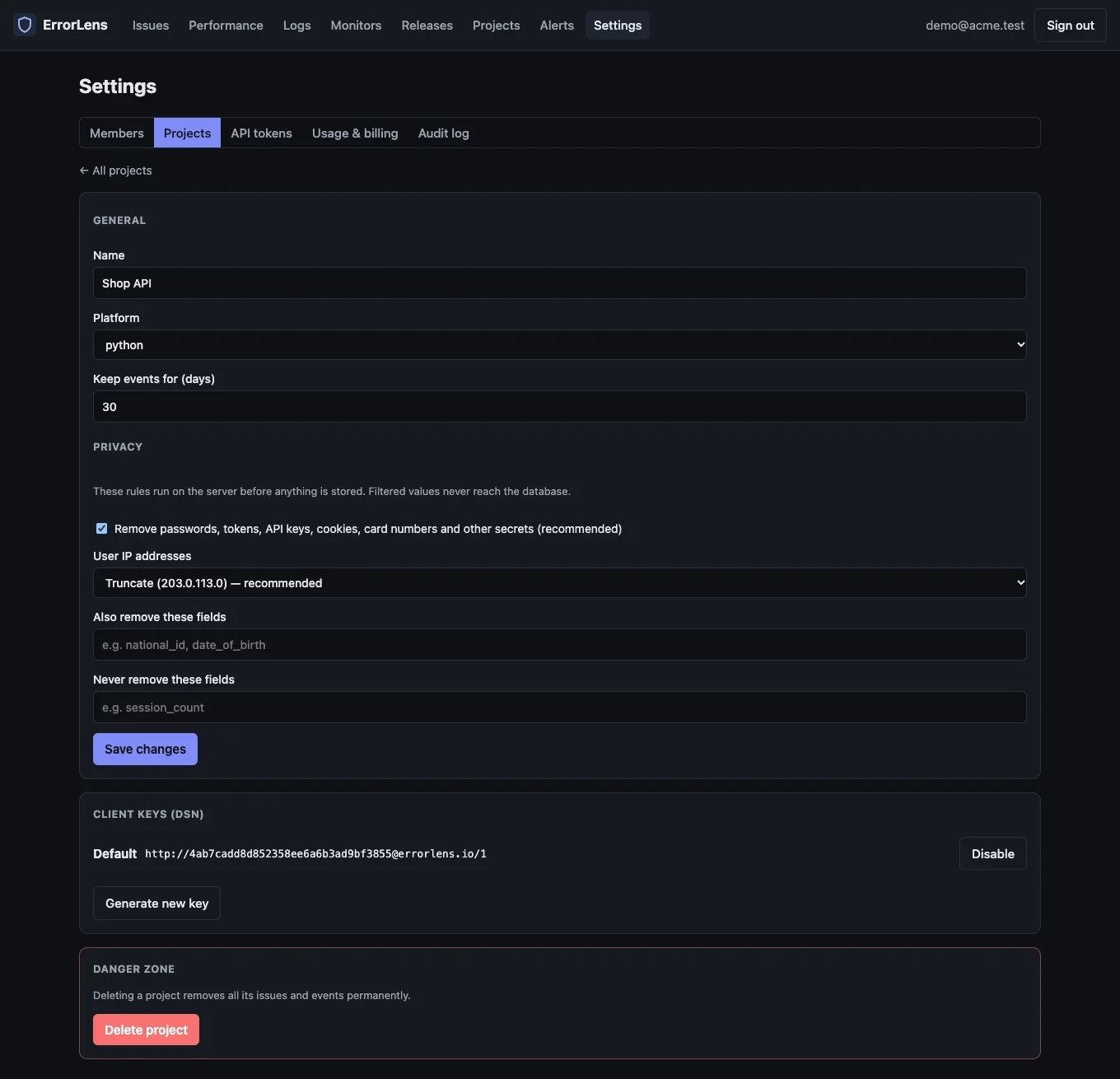
Each project has its own rules under Settings → Projects → (project) → Privacy:
| Setting | Use it to |
|---|---|
| Remove passwords, tokens, … (recommended) | Turn the default rules above on or off. Leave it on. |
| User IP addresses | Choose how IP addresses are stored (below) |
| Also remove these fields | Add your own sensitive field names, e.g. national_id, date_of_birth |
| Never remove these fields | Exempt exact field names that the defaults would remove by mistake, e.g. session_count |
Changes apply to events received after you save.
IP addresses
| Option | What is stored for 203.0.113.42 |
|---|---|
| Truncate (default) | 203.0.113.0 — enough for rough location, not enough to identify a person. IPv6 addresses keep the first 48 bits. |
| Don't store | Nothing |
| Store in full | The full address |
In the SDK too
ErrorLens' SDKs don't send IP addresses, cookies or request bodies at all unless you opt in (send_default_pii=True in Python). You can also drop or edit events before they leave your app with before_send — see Python and Node.js.
Who can see events
Only members of your organization can see its data. Every time someone opens an event, it is written to the audit log. On the hosted service, ErrorLens staff do not look at your events unless you ask us to for support. See the Privacy Policy.